Follow the guidelines below to successfully charge your OTO account
1. Login to your OTO account.
2. Hover to the amount section icon at the top right corner.
3. Click on Add Credit
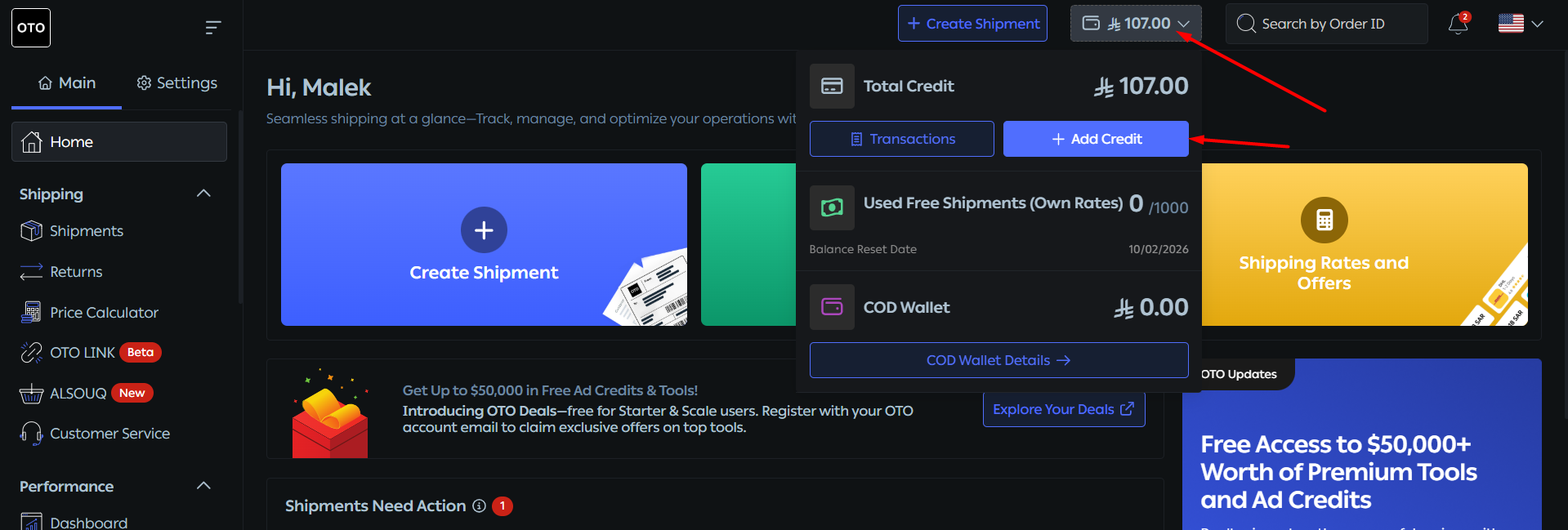
4. Select the amount you would like to charge, or manually input the required amount.
Note: Now you ce your COD amount and charge your account with if youwithdrawn withdraw it yet.

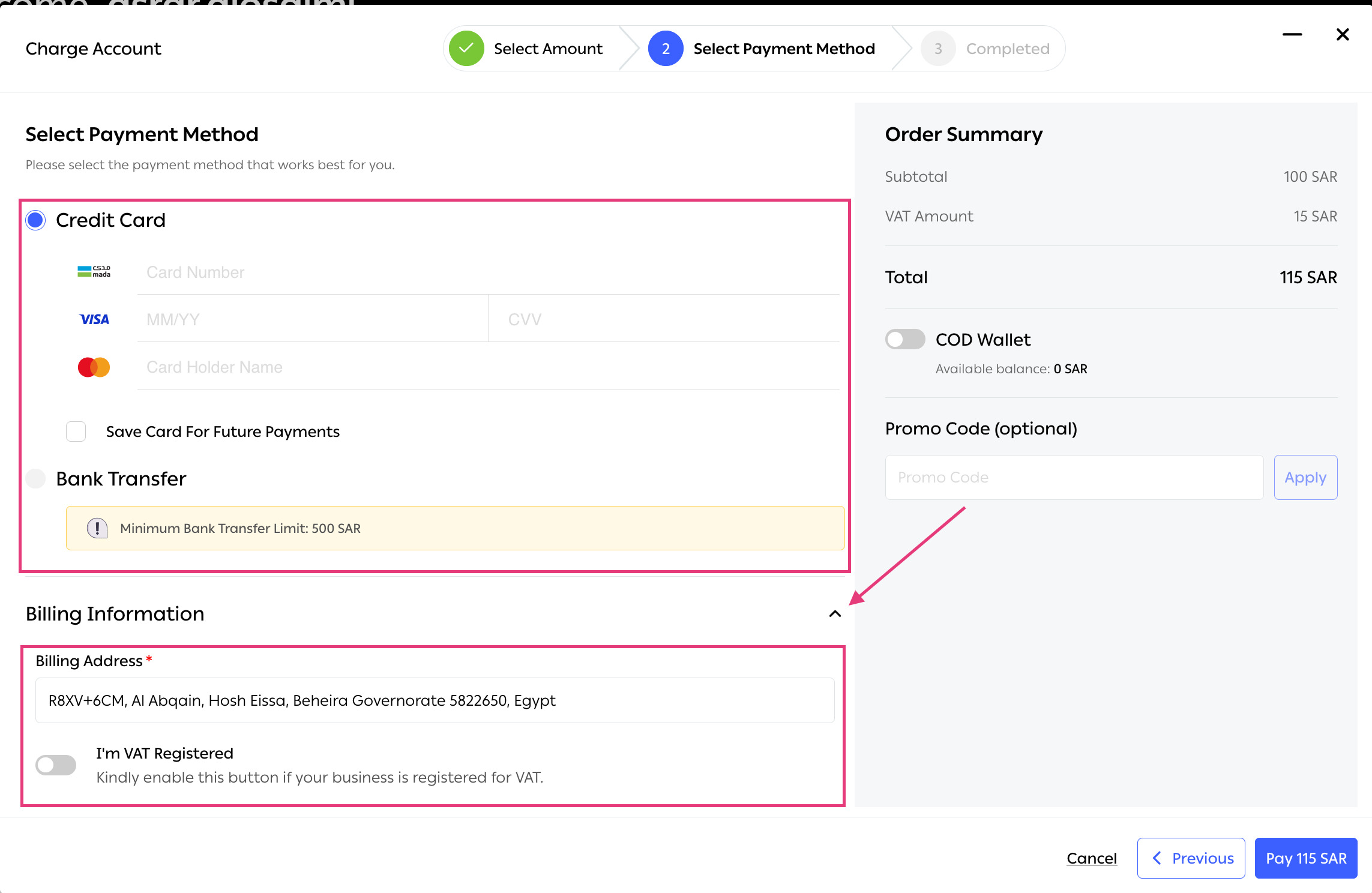
5. Once you have selected the desired amount, you can choose the payment method:
- Bank Transfer
- Credit Card
- Apple Pay
- STC Pay
6. Fill in the Billing Address field.
- If you are VAT registered, you will need to fill in your VAT Number and Company Registration Number.
7. And they click on Pay
Note: The bank transfer minimum amount is 500 SAR.
If you face any issues with payments or credits in your account let us know through live chat.
Was this article helpful?
That’s Great!
Thank you for your feedback
Sorry! We couldn't be helpful
Thank you for your feedback
Feedback sent
We appreciate your effort and will try to fix the article